Log time in Jira without the dread
One keystroke to log work. A timesheet that edits like a spreadsheet. The reports your manager actually asks for — pivot, sprint, team. Free for everyone, forever — and your data never leaves your Jira.
| Issue | Mon | Tue | Wed | Thu | Fri | Total |
|---|---|---|---|---|---|---|
| PROJ-306 | 2h | 1.5h | · | 3h | 1h | 7.5h |
| PROJ-272 | 1h | 2h | 2.5h | · | 2h | 7.5h |
| PROJ-268 | · | 1h | 1.5h | 2h | 3h | 7.5h |
Inside Jira
The whole app, right where you work
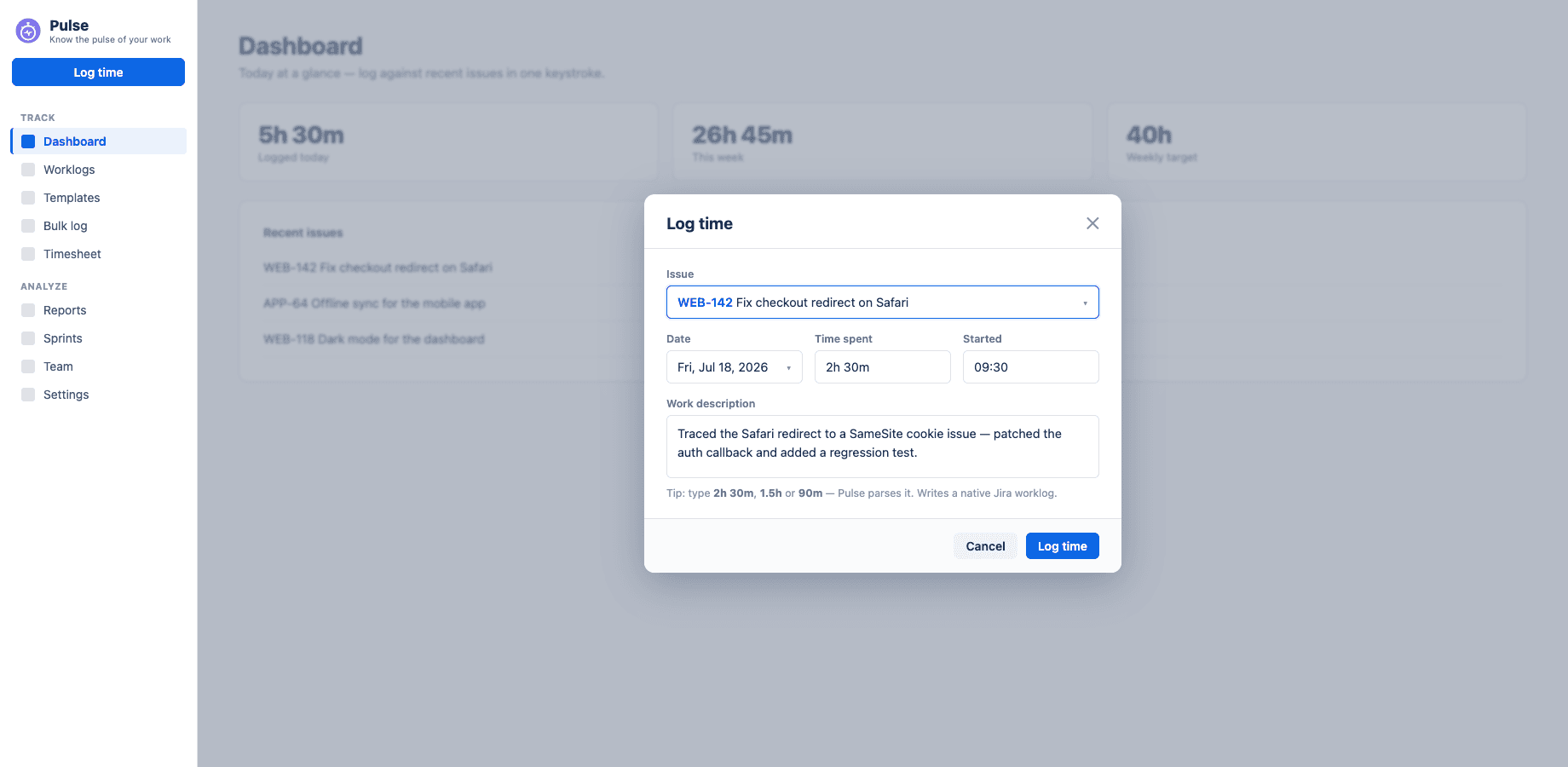
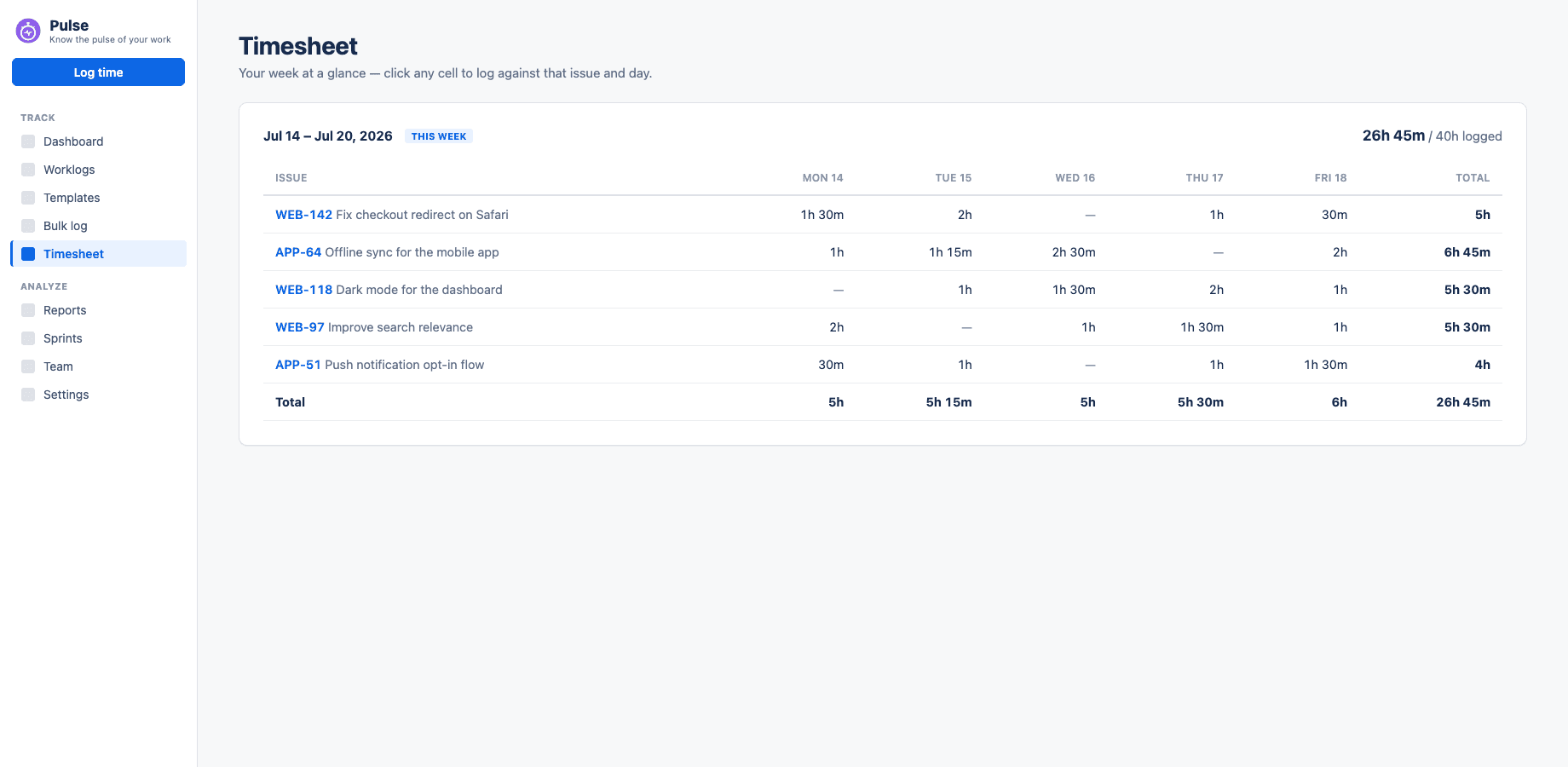
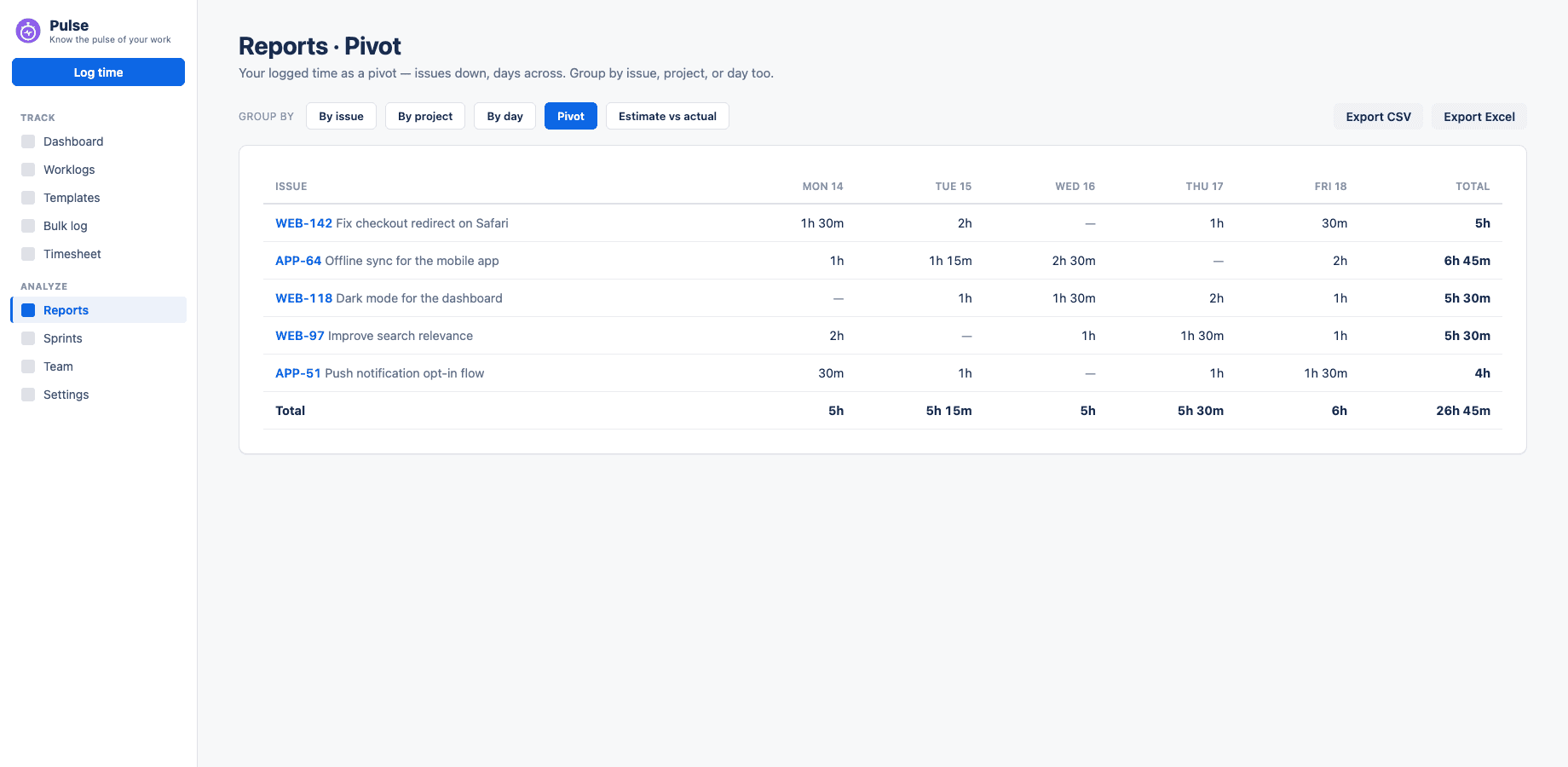
Log in a keystroke, fix a week in the grid, and pull the report your manager asks for — all inside Jira, all written to native worklogs.
Features
Everything a timesheet needs. Nothing it doesn't.
Built for people who have to fill timesheets, not people who love filling them.
One-key logging
Press L anywhere — or ⌘K for the command palette. Smart durations ("1h 30m", "1.5"), one-click recent issues, back-date to any day, and bulk logging across a whole week — or paste a standup block and verify the rows before they log.
A timer that follows you
Start, pause, and stop from the dashboard or right on the Jira issue. Stop & log records the real start time — and nudges you if you forget it running.
Four ways to see your week
Day, week grid, an hour-by-hour time grid, and a monthly calendar. Edit like a spreadsheet — click a cell, type "2h", Enter — or drag a worklog to another day or time, and drag its edge to resize.
Submit & lock weeks
Mark a week complete and Pulse locks it against accidental edits — with your PTO and holidays already excluded from the target.
Reports managers ask for
Hours by day, project, and issue; a pivot of project × day; estimate vs actual with over-budget flags. Save views, import & export CSV, download Excel, or print to PDF.
Sprints & teams
Per-sprint Say/Do ratio and velocity trends across recent sprints, plus a team report — a month matrix of who logged what, drill into any person day by day, or flip to a per-task (task × member) view. Only the issues you can already browse.
Private by design
No external servers, no analytics, no tracking. Worklogs are native Jira data — visible to every tool, and still yours if you ever uninstall.
Built for daily use
Native dark mode that follows your Jira theme, full keyboard navigation, custom date ranges, and load times under a second — because you'll open it every day.
The honest answer
Why is it free?
No servers to pay for
Pulse runs entirely on Atlassian's Forge platform inside your Jira site. There is no infrastructure bill to pass on to you.
No lock-in to defend
Your time lives in Jira's own worklog system, not a proprietary database. We don't need to charge you to keep your data — we couldn't if we wanted to.
Built by people who fill timesheets
Scriptix Labs built Pulse because logging time shouldn't cost per-user fees. It's free for a solo developer and free for a 500-person company.
Approvals, billing & team analytics
When you need the manager layer — a timesheet approval queue, billable rules that roll up into client invoice PDFs, capacity planning, and team-wide analytics — it lives in the optional Pulse Teams app. Free Pulse stays free forever.
Explore Pulse Teams- Approvals — A review queue over submitted weeks, with admin policies.
- Billing → invoice — Billable rules, revenue roll-ups, and client invoice PDFs.
- Capacity planning — Planned vs logged vs remaining, per member.
- Team analytics — Cycle time, rework, estimate accuracy — for a saved team.
Prefer to log from your browser?
Pulse Companion adds a toolbar timer, quick-log, meeting import, and the full timesheet app to Chrome, Edge & Firefox — for the moments you're not inside Jira. Explore the extension →
Is it really free? What's the catch?+
Really free — no tiers, no trials, no per-user pricing, no feature gates. Pulse runs on Atlassian's infrastructure, so serving it costs us almost nothing, and we've committed to keeping it that way.
Where does my data live?+
Inside your Jira site. Worklogs are stored by Jira itself; Pulse keeps only your preferences, favorites, saved views, and timer state in Atlassian Forge storage. Nothing ever leaves Atlassian — Pulse qualifies for the Runs on Atlassian program.
What happens if I uninstall Pulse?+
Your worklogs are untouched — they're native Jira worklogs, visible in Jira's own time tracking and any other app. Pulse's own settings storage is removed per Atlassian's app data lifecycle.
Does it work for teams?+
Yes. Every teammate gets their own dashboard, timesheets, reminders, and reports after a single install by an admin — and the built-in team report rolls up who logged what, day by day, across the issues you're already allowed to see.
Which Jira does it work with?+
Jira Cloud (all plans, including Free). Jira Data Center / Server is not supported — Pulse is built on Forge, Atlassian's cloud app platform.
Is there a browser extension?+
Yes — Pulse Companion. It logs time from any tab, imports Google Calendar and Outlook meetings, works offline, switches between multiple Jira sites, and adds a timer to your code-host and Jira issue pages. It's a separate free download that complements the app; see the Extension page.
Start tracking time in under a minute
Free forever, installs from the Atlassian Marketplace, and your data never leaves your Jira site.