For agencies
From logged hours to a client invoice — without leaving Jira
If you bill clients from the work already tracked in Jira, Pulse closes the loop: log billable time for free, then let Pulse Teams turn it into revenue roll-ups and client invoice PDFs — all on Atlassian, no data egress.
- 1
Log billable time
Your team logs to Jira issues as normal — one keystroke, from Jira or the browser extension. Free Pulse handles all of it.
- 2
Classify by rule
In Pulse Teams, mark which projects are billable with a simple rule — no worklog comments to clutter, no per-entry tagging.
- 3
Roll up revenue
Billable hours roll up by member and project against per-member cost rates, so you see revenue before you invoice.
- 4
Generate the invoice
Turn a period’s billable hours into a client-ready PDF invoice — generated entirely in your browser. Nothing leaves Atlassian.
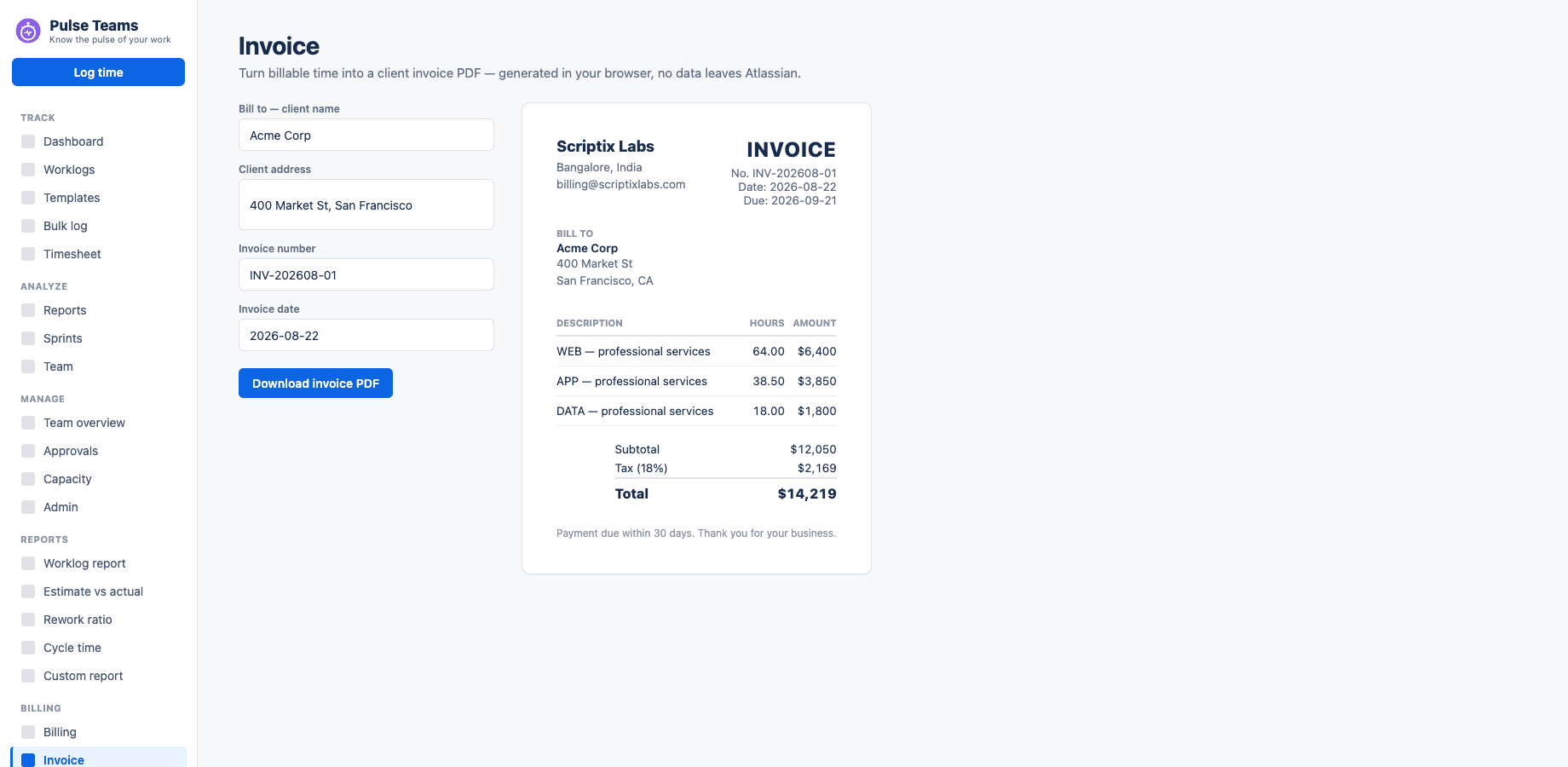
A client invoice generated from billable hours — in your browser, nothing leaves Atlassian.
No per-seat tax on logging
Everyone logs time on free Pulse. You only pay for the manager who runs billing.
Data stays yours
Time lives in native Jira worklogs; invoices render client-side. No third-party server ever sees your clients’ data.
Nothing to migrate
Pulse Teams reuses your existing Pulse worklogs — turn it on and the numbers are already there.